

How to ask and approve on WhatsApp
With WhatsApp linked, ask Taseli in your own words and approve with a tap: “Do it”, “Not now” or “Why?”. Typing “yes” changes nothing.
Once you link your number, Taseli's WhatsApp works like texting your campaigner: ask, and approve with a tap.
Send “hi” or “menu”
Two buttons come back: “This week” and “What's waiting?”.“What's waiting?”
The biggest decisions first, each in its own message. The rest wait in the app, with a link.Tap a button on a decision
“Do it”, “Not now” or “Why?”. Taseli replies with what happened.
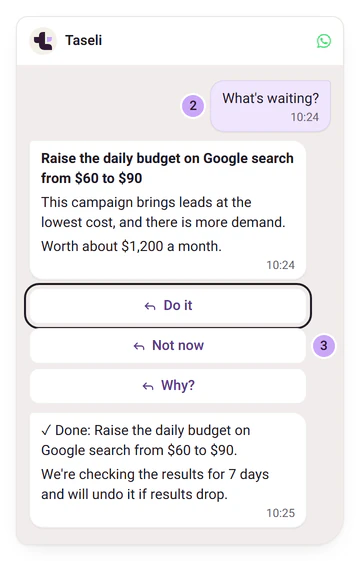
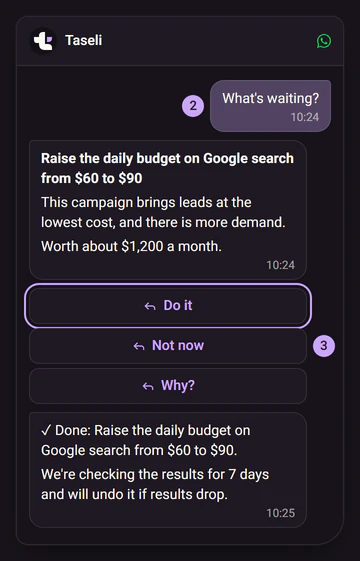
Ask in your own words: for example “Why did leads drop yesterday?”. The answer is short, about your account, in the language you wrote in. Agencies: name the client; if it's unclear, Taseli asks “Which business is this about?”.
Voice notes, pictures and documents
You can also send a voice note, a picture or a file. Taseli always answers in text.
- Voice note: Taseli listens and answers in the language you spoke. Up to 10 minutes a note.
- Picture: a picture that fits an ad is saved to your library. A screenshot, or a picture that isn't for an ad, gets an answer and isn't saved. See Send a photo, get 3 creatives.
- Document: a PDF, Word, PowerPoint, Excel or text file, up to 24 MB. Taseli reads it and answers from it. It isn't saved.
Updates on what Taseli did
When Taseli launches a new ad or makes a change on its own, a short message comes. An ad comes with the picture itself. “🔕 Stop these” in the message stops them for this business; turn them back on in Settings › “Notifications” › “What reaches you”. What you ask for always comes.
A change inside a campaign you approved can come with “↩ Undo” and “✋ Ask me first”.
Troubleshooting
I tapped an old button. If the decision is still waiting, it comes again with fresh buttons. If it has changed since, you get the updated version.
It says someone already answered. Someone else decided, here or in the app. Taseli says who and how.
“Do it” didn't go through. The account is read-only, or there's no active plan. Nothing changed, and the message says why. “Not now” always works.
A decision came by email, not WhatsApp. WhatsApp only lets us write first within 24 hours of your last message. Send “hi”, and “What's waiting?” brings them here.
My voice note wasn't read. Notes over 10 minutes, or past the daily allowance, are not read. Split it in two or type it briefly.
I was asked to type “yes” after a voice note. When a short approval in a voice note isn't clear, Taseli writes what it heard and waits for a typed yes. Pause words in a voice note don't work.
My document didn't open. A password-protected file or one over 24 MB isn't opened. Send a copy without the password, pictures of the pages, or paste the text.
Messages stopped. You probably sent “stop”. Send “start” to resume. Questions are answered even while paused.