

How to connect Meta (Facebook and Instagram)
Connect Facebook and Instagram ads to Taseli: the access you need, what Meta asks for, why the business matters, and what to do when an account is missing.
On this page
One connection covers your Facebook and Instagram ads. Taseli reads campaigns, ads, spend and results, and nothing changes without your OK.
Before you start
- Admin access to the ad account on Meta. Without it, Meta doesn't show the account.
- In Taseli, only the owner or an admin can connect.
Connect
In signup, it's the “Connect” step, after the plan. Later, it's in Settings.
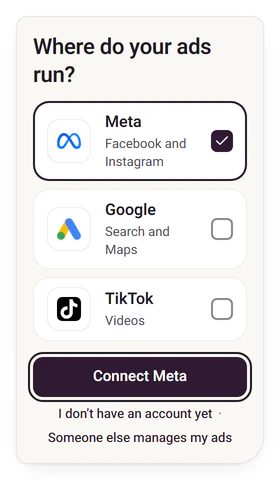
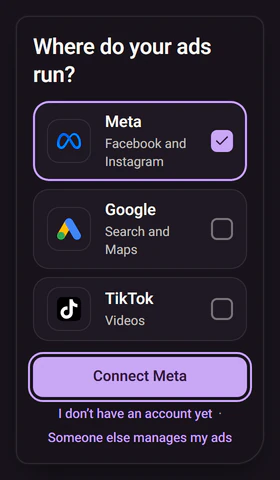
“Where do your ads run?”
Meta comes ticked. Tap “Connect Meta”. With Google ticked too, the same button connects both: Meta first, then Google. Someone else runs your ads? “Someone else manages my ads” sends them a request.Meta's window
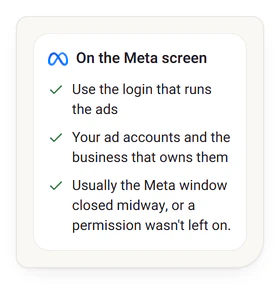
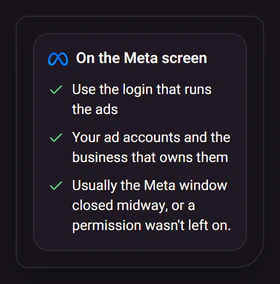
Sign in as the person who runs the ads, pick the business and all its ad accounts, and keep every permission on.“Which ad accounts should Taseli run?”
After “Finding your ad accounts…”, usually a few seconds, the ones that run ads are ticked. Under “What Taseli may do”, “Full access” is recommended: changes still wait for your OK. Then “Continue”.
Already set up? Settings › “Ad accounts & access” › “Connect” on the Meta card.
What Meta asks for
| Permission | What it's for |
|---|---|
| Manage ads | Lets a change you approved go through. Until then Taseli only reads. |
| Manage business | Only to see which ad accounts belong to the business. |
An ad account owned by another business, like a client's, comes in “Read-only”. Taseli never sees payment details.
Troubleshooting
“The connection didn't finish”. A permission was turned off in Meta's window, or the window closed midway. “Sign in again” and keep them all on.
The account doesn't show up. You probably aren't an admin of it. On Meta, open the business settings › Ad accounts, pick the account and open People. “Full control” next to your name means you're set. If not, ask whoever has it, or send them a link.
“One account you had isn't in this sign-in”. “Sign in again” and tick its business in Meta's window as well.
“The ad account on this sign-in is suspended or cancelled”. Nothing is wrong on your side. Once Meta reactivates it, tap “Reconnect”.
No ad account yet. “I don't have an account yet” on the first screen: “Open an account now (free)” in Meta Ads Manager and come back, or “Continue without connecting” and connect it later from Home.
“Needs reconnecting”. Meta stopped accepting the permission. Until you reconnect, Taseli doesn't read or change anything. Settings › “Ad accounts & access”, open the Meta card, then “Reconnect”.
FAQ
Does connecting Meta cover Instagram too? Yes. Instagram ads run from the same Meta ad account, so one connection covers both.
Why does Meta ask me to pick a business? On Meta, ad accounts belong to a business. Pick the business and all its ad accounts, and then choose in Taseli which ones it runs.
My agency owns the ad account. Can I still connect? Yes, if they gave you admin access. It may come in “Read-only”. You can also tap “Someone else manages my ads” and send them a link to connect it for you.