

How to make a new ad in Taseli
On Home, tap “Create an ad” and pick: Taseli decides, I have something to advertise, or I have a picture. What each asks, what it costs, when it goes live.
On this page
Which way to use
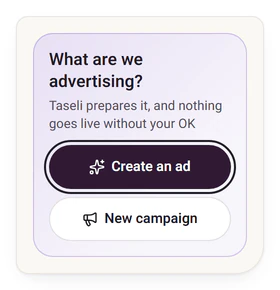
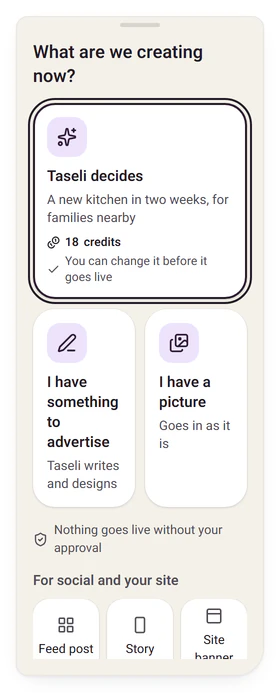
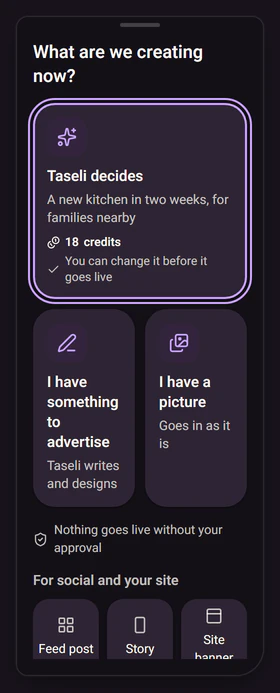
The “Create an ad” button is on Home, under the top section. On a phone it sits in the “What are we advertising?” card. Owners, Admins and Managers see it. It opens “What are we creating now?”:
| Door | What happens | What you get |
|---|---|---|
| “Taseli decides” | One screen: the idea, the goal, where and the budget, each with “Change” | Two ads in two directions, for approval |
| “I have something to advertise” | What the ad is about, what it should bring, then a summary | One ad, for approval |
| “I have a picture” | Pick pictures, then a summary | One ad with your pictures as they are, no credits |
| A carousel, versions or sizes | Creatives › “Studio” | See the studio |
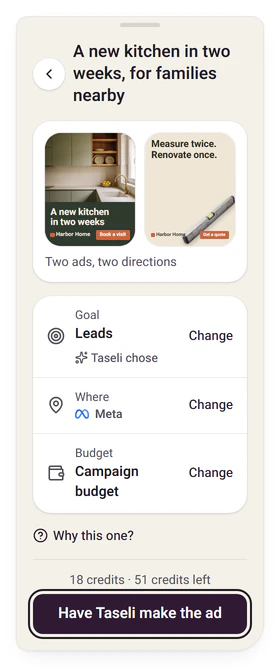
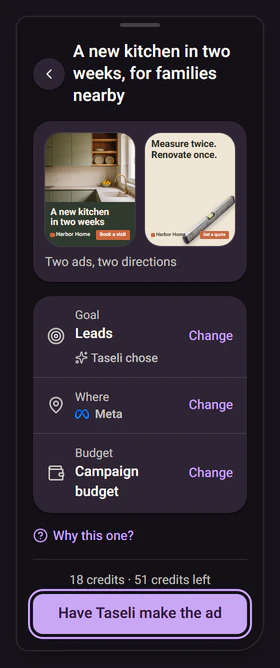
“Taseli decides”
Tap “Taseli decides”
The door says what it would advertise now, and what it costs in credits.Check the screen
A sketch of the two ads, and below it “Goal”, “Where” and “Budget”. Each row has “Change”, which opens in place. “Why this one?” explains the choice.Tap “Have Taseli make the ad”
Taseli makes both, and they wait for your approval.
“I have something to advertise”
“What's the ad about?”
Pick from “Main”, the business's main offerings, or write a sentence under “Offer”. Have a catalog? “Products”. Following competitors? Under “Competitors”, pick an ad, and Taseli takes only its idea and structure.“What should the ad bring?”
Leads or sales, by what the business counts, or site visits. “Who does the ad speak to?” is optional: age, gender and a free line. It changes only the words and the picture. Who sees the ad stays the same.The summary, then “Have Taseli make the ad”
Every row has “Change”, and the cost in credits.
Where and how much. Taseli picks the platform and a running ad set, and uses the campaign's own budget, nothing added. “Change” on the “Where” row opens the platforms, the ad set and “Extra a day”. Extra budget comes as its own suggestion to approve.
“I have a picture”
“Which pictures?”: “Upload from device”, “Upload a folder” (on a computer), “Import from Google Drive” or “From ready ads”. The pictures go in as they are, Taseli makes no new picture, and no credits are used.
On the summary the button is “Send for approval”. Someone who can approve, with a place for the ad, sees “Publish” instead: the tap is the approval, and the ad goes live.
Under the doors, “For social and your site” makes creatives that aren't ads: “Feed post”, “Story”, “Site banner”, “Site picture”, “Product pictures” (when your site has products) and “Site popup”. Choose what it's about, tap “Make it”, and they show in your ready creatives. None of them goes live as an ad.
After you tap
- The window closes, and Taseli starts making it.
- When it's ready: “The new ad is ready and waiting for your approval.”, with “To approve”. Two ads? “See both”.
- No running ad set fits it? The ad stays in Creatives, and Taseli suggests a new place for it.
- A read-only account, or no ad account connected yet: the ad is made and shown, and nothing is sent to the platform.
What it costs
| Door | Ads | Credits |
|---|---|---|
| “Taseli decides” | 2, in two directions | On the door |
| “I have something to advertise” | 1 | On the summary |
| “I have a picture” | 1 | “No credits” |
Under the doors you see how many credits are left. Plan credits renew every month; packs you buy don't expire. An ad that doesn't come out isn't charged. Only one of two came out? You aren't charged for the other. Details: credits in the studio.
Your logo and brand
The ad carries only the business's logo, as it is in “Business details”. Taseli never draws a logo. No logo yet? The business name is set in its place. See your photo and business logo.
What never goes on the ad
- A price, discount or number you didn't write and that isn't on your site.
- A competitor's words, colors, logo or picture. From a competitor's ad, only the idea and structure are used.
- A logo someone drew in place of yours.
Troubleshooting
“There aren't enough credits for a new ad right now.” Add credits in “Plan & billing”, or choose “I have a picture”, which takes no credits.
“Today's limit of ads is reached. Try again tomorrow.” Each account has a daily limit.
No “Create an ad” button. Only Owners, Admins and Managers see it. Ask for one of those roles; see team and roles.
“During the trial, making a new ad isn't open from here yet.” An ad from your own picture works during the trial too. See the trial.
“The ad didn’t come out this time.” You weren't charged. Try again, or word the offer differently.
FAQ
Does the ad go live by itself? An ad Taseli makes, and every extra budget, waits for approval. Approve it in “To approve”, or straight from the message. An ad from your own pictures goes live when you tap “Publish”, because your tap is the approval.
How does Taseli choose what to advertise? From what it knows about the business: the products, the deal running now and what worked in your ads. “Why this one?” explains the choice, and the “ready” message repeats it.
Does “Who does the ad speak to?” change the campaign's audience? No. It changes only the words and the picture. The audience stays as it is in the ad set.
Can I use my own picture without it being changed? Yes. “I have a picture”: the picture goes in as it is, and no credits are used.
Which languages are ads written in? The business's language: Hebrew, Arabic or English. Each one is written natively, not translated.