

No access to the account? Send a link to whoever runs it
One link on WhatsApp: whoever manages your ads connects the account for you, read only, or gives you access. Works once, for 7 days.
Send the link
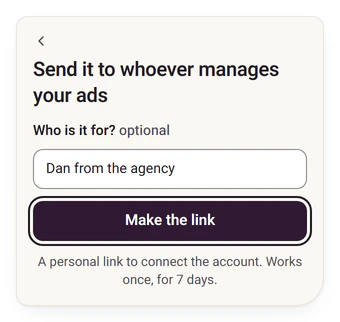
On the connect screen, find “Send it to whoever manages your ads”
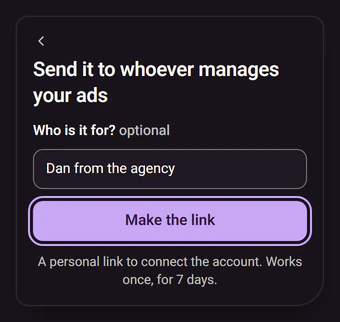
On Meta: answer “No, someone else manages it” to the admin question, or “Need to check” › “I don't have access”. When no ad account is found, tap “Someone else holds the account?”.Write “Who is it for?” (optional) and tap “Make the link”
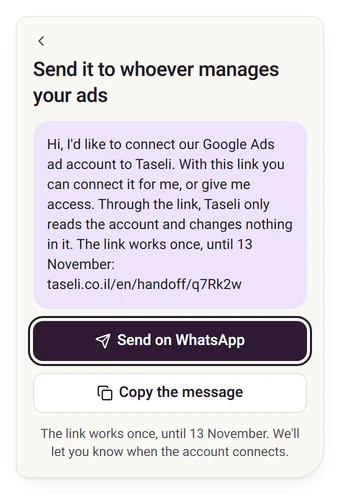
For example: “Danny from the agency”.“Send on WhatsApp”, or “Copy the message”
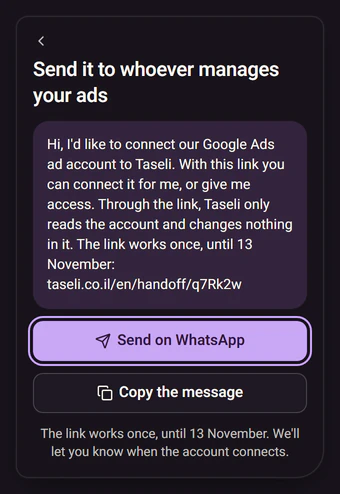
The message is ready, with the link and a short explanation: it asks them to connect the account or give you access.
Until the account connects you'll see “Waiting for…” with the date the link expires, on the connect screen and on Home. You can “Send a new link” or “Cancel the link” from either. When they connect, you get a message. Two days before the link ends, one gentle reminder arrives with a line ready to forward to them.
What the other person sees
They can connect it themselves:
- 1Opens the link
- 2Sees what Taseli reads
- 3Connects
- 4Picks one account
The page says it plainly: Taseli reads campaigns, ads, spend and results. Not payment details. Only the chosen account is saved, read only, and their own access stays as it was. Below, “Or give access instead” shows the steps for anyone who'd rather invite you:
| Platform | Where they invite you |
|---|---|
| Google Ads › Admin › Access and security, with Admin access | |
| Meta | Business settings › People › Invite, then full control of the ad account |
| TikTok | Business Center › Members › Invite, then Admin on the ad account |
Where connecting through the link isn't open for a platform yet, the page shows only “How to give access”. Once they invite your email, you continue connecting in Taseli as usual.
The link's limits
| How many times | Once |
| Until when | 7 days |
| Where | One browser. Opening it on another device blocks it |
| What Taseli does | Reads only |
Expired or opened elsewhere? Make a new link.
Troubleshooting
“This link no longer works”. 7 days passed. Tap “Send a new link”.
“This Google user has no ad account”. They need to sign in as the user who manages the ads. The same goes for Meta and TikTok.
“You've made several links today”. Try tomorrow, or connect it together with our team.
It connected and I want Taseli to make changes. The link is read only. Give admin access through connecting an account.