

How to connect a WordPress site or WooCommerce store
Install the free Taseli plugin from the WordPress.org directory: what Taseli reads, what it can change, sales tracking and consent, and how to disconnect.
On this page
Install the free Taseli plugin on your WordPress site, and Taseli sees which ad brought each visit and lead. On WooCommerce it also reads orders and products, so the budget goes to the ads that sell.
You need to be an administrator of the WordPress site, and the owner or an admin of the business in Taseli.
Connect
Install the plugin
In WordPress, Plugins › Add New. Search for “Taseli”, click Install, then Activate. The plugin's page: WordPress.org (opens in a new tab).Click “Connect to Taseli”
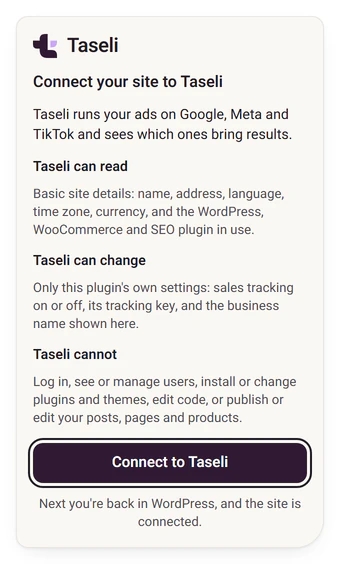
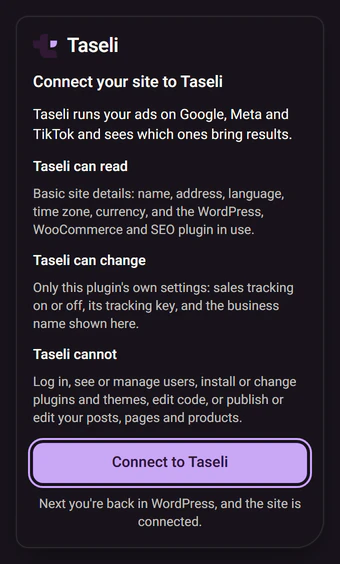
It's in Settings › Taseli. Before you click, the screen lists what Taseli can read and change.Sign in and pick the business
Sign in to Taseli, or create an account, and pick the business this site belongs to.Back in WordPress
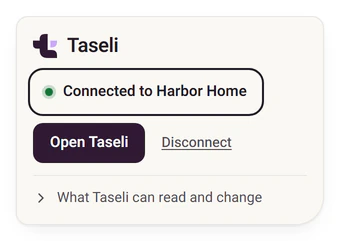
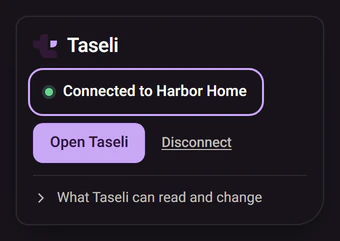
Settings › Taseli says “Connected to” and the business name. Taseli starts reading right away.
No WordPress password or Application Password is created or handed to Taseli. The plugin is free; plans are bought only on taseli.co.il.
What Taseli reads and changes
- Reads: basic site details. On WooCommerce, also order totals and published products. Read only, through signed requests to the plugin.
- Never sees: your customers' names, emails, phones or addresses.
- Changes: only the plugin's own settings, such as sales tracking on or off. It can't log in, touch users, plugins or themes, or edit your content.
Sales tracking
An optional switch in Settings › Taseli in WordPress, and in Taseli: Settings › “Ad accounts” › “Store & site” › WordPress › “Counting sales”. A small script records which ad brought each visit and order, so Taseli knows which ads made money. No names, emails, phones or addresses are sent.
It follows the WP Consent API and the common cookie banners (Complianz, CookieYes, Cookiebot, Cookie Notice): nothing is stored or sent until the visitor allows marketing cookies. On a site with no consent tool, tracking waits, and the plugin says no cookie banner was found.
Settings › Taseli in WordPress also has a switch that counts WhatsApp leads from Google ads. It stays off until a site administrator turns it on there. Taseli can't turn it on, and never reads your WhatsApp.
WordPress or WooCommerce
- A WordPress site: Taseli measures visits and leads.
- A WooCommerce store: orders, products and sales per ad as well. Works with the Cart and Checkout blocks and with HPOS.
Disconnect
In WordPress, Settings › Taseli › Disconnect. Or in Taseli, Settings › “Ad accounts” › “Store & site” › WordPress › “…” › “Disconnect”. The site's key is deleted and Taseli stops reading. Your site stays exactly as it is. Deleting the plugin removes its settings and key too. Details: Data deletion.
Troubleshooting
Connected with version 1.0.0? The first version connected with a WordPress Application Password. Update the plugin and click “Connect again” in Settings › Taseli: Taseli switches to read-only access and deletes the old password. You can also delete it yourself under Users › Profile › Application Passwords (it's named “Taseli”).
“This link timed out.” Start again from Settings › Taseli in WordPress.
Some orders show no ad. Visitors who refused cookies aren't tracked, so their orders count without the ad that brought them. That's expected.